Welcome to the BasicSwap DEX Blog — MDX Showcase
Welcome to the BasicSwap DEX Blog, the new home for BasicSwap-related content! We're migrating to this new platform to provide a central point of reference for all BasicSwap-related communications and to give you a better experience by better organizing and presenting the content.
On here, you'll find the latest updates, insights, and announcements from BasicSwap contributors, as well as release blog posts for all major BasicSwap releases.
Starting today, all new BasicSwap-related blog posts will be published on this new platform exclusively. Previous articles will remain available on Particl News under the BasicSwap tag, but will no longer be updated or maintained.
New Capabilities
The new BasicSwap DEX Blog is built using Next.js and MDX. Posts are written in Markdown and converted to HTML using MDX, and then rendered on the client-side using React. It uses Tailwind CSS for styling, but MDX also supports custom components and other styling options, making this new platform much more flexible and powerful.
Blog Architecture
This particular architecture allows for the use of MDX to create interactive blog posts, such as charts, tables, and interactive components, making content much more engaging and dynamic as well as providing more flexibility in terms of styling and layout to authors
To highlight these new capabilities, we're publishing this blog post as a reference for other BasicSwap contributors who may want to publish on this blog and leverage all of its new features. As such, this blog post may be less of a BasicSwap-specific post, but rather a general guide on how to use MDX to create dynamic and interactive posts.
Standard Markdown Still Works!
Let's start with the basics. You can still use all your favorite Markdown syntax, including: italic, bold, strikethrough, underline, and code text words.
Bullet Points with Nested Lists
- Item 1
- Item 2
- Sub-item A
- Sub-item B
Numbered Lists
- First step
- Second step
Code Blocks with Syntax Highlighting
// Code blocks are also supported with syntax highlighting
function greet(name) {
  console.log(`Hello, ${name}!`);
}
greet("MDX");
# Python example
def factorial(n):
if n == 0:
return 1
else:
return n * factorial(n-1)
print(factorial(5))# Bash example
echo "Hello, World!"
ls -lBlockquotes
This is a blockquote. It can span multiple lines.
Horizontal Rules
Links and Images
Here's a link to BasicSwap.
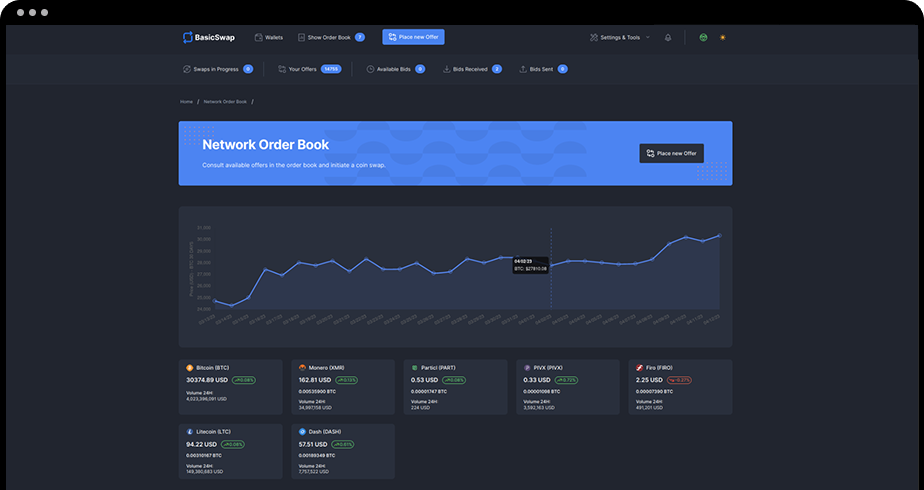
And here's an image:
Simple Table
| Header 1 | Header 2 | Header 3 |
|---|---|---|
| Row 1 Col 1 | Row 1 Col 2 | Row 1 Col 3 |
| Row 2 Col 1 | Row 2 Col 2 | Row 2 Col 3 |
Heading Sizes
Heading 1
Heading 2
Heading 3
Heading 4
Heading 5
Custom Components in Action
MDX allows you to import and use custom React components directly within your Markdown content. This opens up a lot of possibilities for creating dynamic and interactive blog posts.
Callouts
Here's an example of a callout components for important information:
This is a special message highlighting a key point in our blog post. It uses a custom React component imported directly into MDX.
This is a warning message. Be careful when implementing the following steps.
For better performance, consider lazy loading components and images.
Find more information about MDX capabilities in the official MDX documentation.
Dynamic Content with JavaScript
You can also embed JavaScript expressions directly within your Markdown content. This can be used for dynamic dates, conditional rendering, or other calculations:
The current year is: 2026.
Here's a random number: 0.2135 (will change if you refresh the page).
Structured Data with Styled Tables
For presenting tabular data, you can use custom styled table components.
| Feature | Supported | Notes |
|---|---|---|
| Custom Components | Yes | Import and use any React component. |
| Charts | Yes | Requires Chart.js or similar. |
| JS Expressions | Yes | For dynamic content. |
| Collapsible Menus | Yes | Requires custom component. |
Data Visualization with Charts
You can embed interactive charts to present data clearly. While what's displayed here is a static example, you can absolutely embed dynamic charts with live data!
Here's a dynamic chart with live data:
Interactive Elements
Collapsible Elements
Custom Divs
This is a custom styled div, demonstrating exotic styling possibilities.
Interactive Components
Here's an example of an interactive React component embedded directly into MDX:
Current Count: 0
Development Checklist
Here's a sample checklist to track development progress (e.g., tasks, bugs, and features that contributors are working on):
Development Tasks
- Implement core features
- Write unit tests
- Deploy to staging
- Gather user feedback
Project Roadmap
You can even generate components with more advanced functionality, such as timelines or roadmaps:
Phase 1: Core Development
Initial setup, basic features, and infrastructure.
Phase 2: Feature Expansion
Adding advanced features and user-facing functionalities.
Phase 3: Optimization & Testing
Performance improvements, extensive testing, and bug fixes.
Phase 4: Public Launch
Official release and continuous support.
See You Around!
Now that we've explored the basics of MDX, we're ready to start pumping out some some great content in this new BasicSwap home. Stay tuned for more exciting updates and announcements from BasicSwap contributors, and make sure to bookmark this blog so that you don't miss out on any new content!
Stay Connected
Stay connected with us on our social media channels for real-time updates, news, and more.
- Twitter: @basicswapdex
- Matrix: BasicSwap channel
- GitHub: BasicSwap repositories
- Support the project: Donation page

Cryptoguard
A passionate contributor to BasicSwap, dedicated to decentralization, privacy, and digital security.
Related Posts
BasicSwap v0.19.0: Smart Buy, Nostr Messaging, and More Reliable Swap Accepts
By BasicSwap Team on October 4, 2026
BasicSwap v0.19.0 adds Smart Buy in beta, batched swap funding, Nostr messaging and a Networks settings tab, updates SimpleX Chat and Firo, and fixes repeated swap accepts.
BasicSwap v0.18.10: More Price Oracles, Safer Rate Handling, and Swap-Scan Fixes
By BasicSwap Team on September 30, 2026
BasicSwap v0.18.10 adds six price sources, per-source rate-limit handling and stale-rate checks, fixes watched-output and Decred lock-output scans, and updates Particl Core.
BasicSwap v0.18.6 through v0.18.9: Swipe-Payout Recovery, Wallet Fixes, and WebSocket Hardening
By BasicSwap Team on September 16, 2026
Four BasicSwap releases that add swipe-payout recovery when no mercy transaction is sent, tighten WebSocket handling, fix wallet and Electrum edge cases, and update Litecoin and Particl Core.